New Features in 4.47
Dashboard Now Shows Details & Available Actions
The dashboard now also displays all important details about processes:
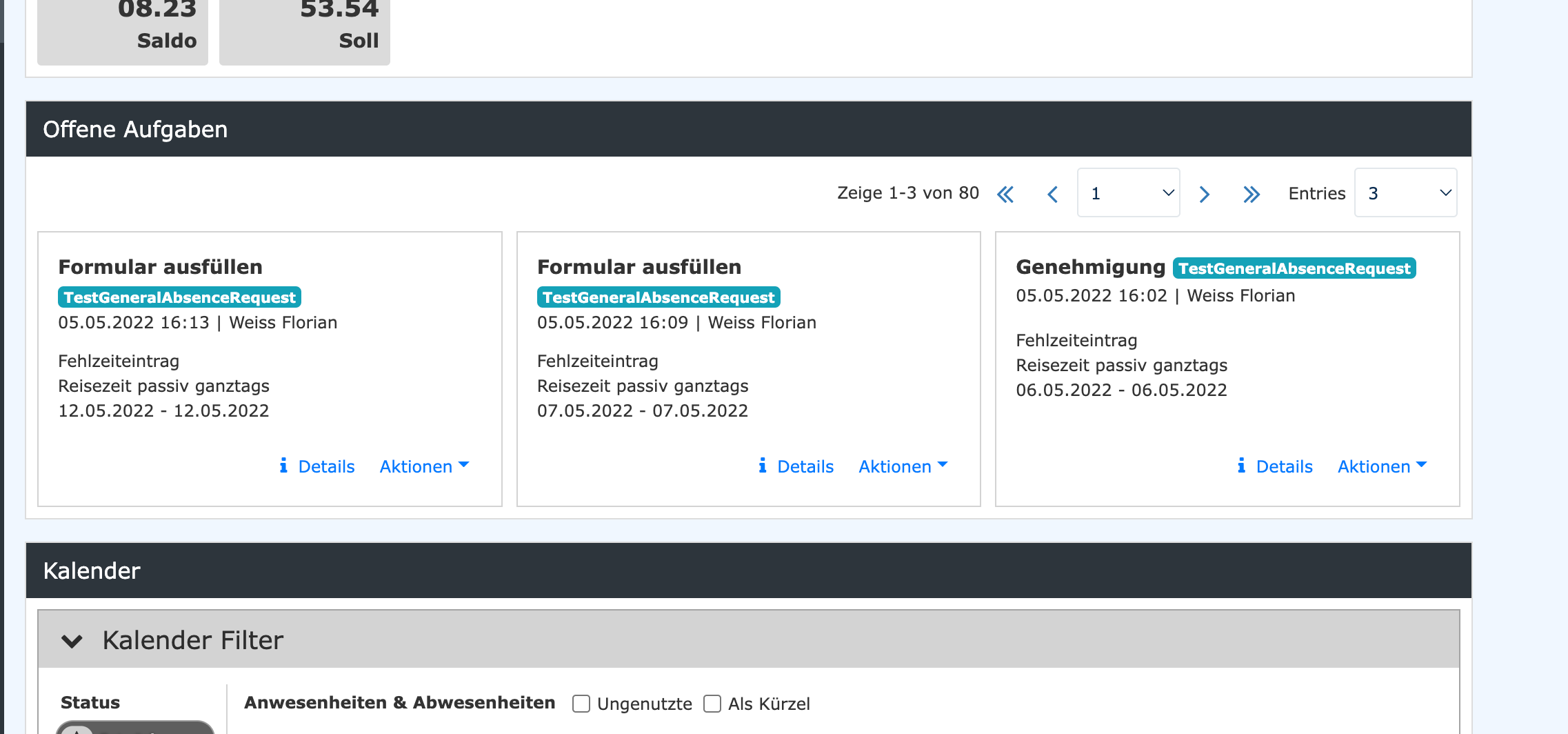
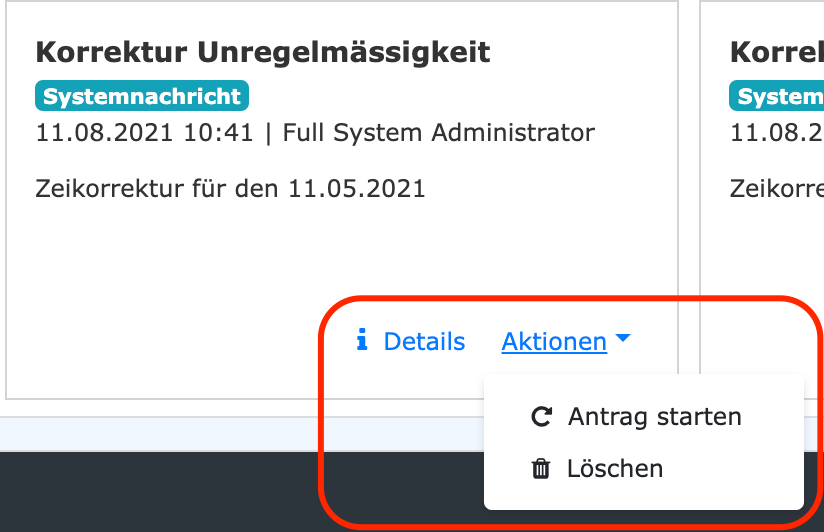
Furthermore, it is now also possible to perform the actions of the processes (approve, edit, etc.) directly from the dashboard
New Time Correction Modes
There is a new time correction mode that completely overwrites the affected days. This means, for example: a time correction with two bookings is made for a specific day, which deletes or overwrites other bookings for that day, even if they do not overlap with intervals of the correction.
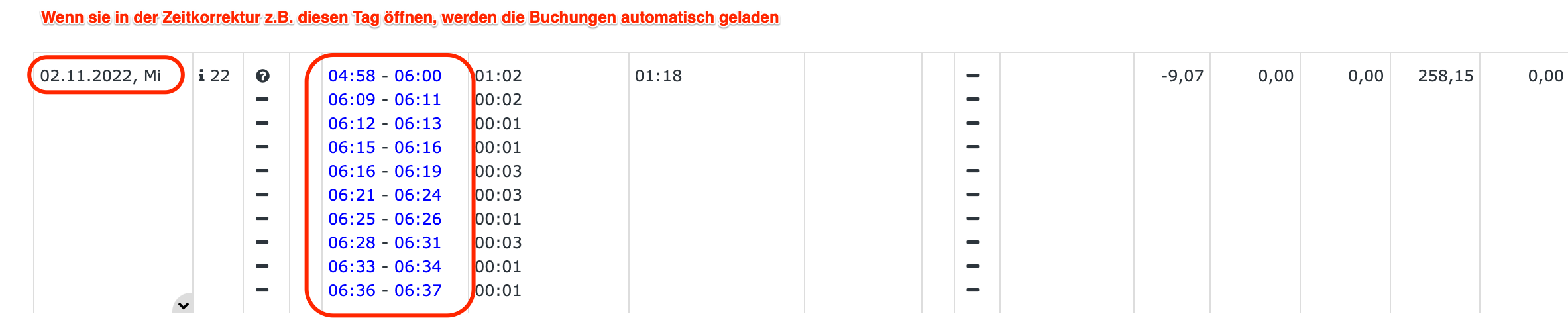
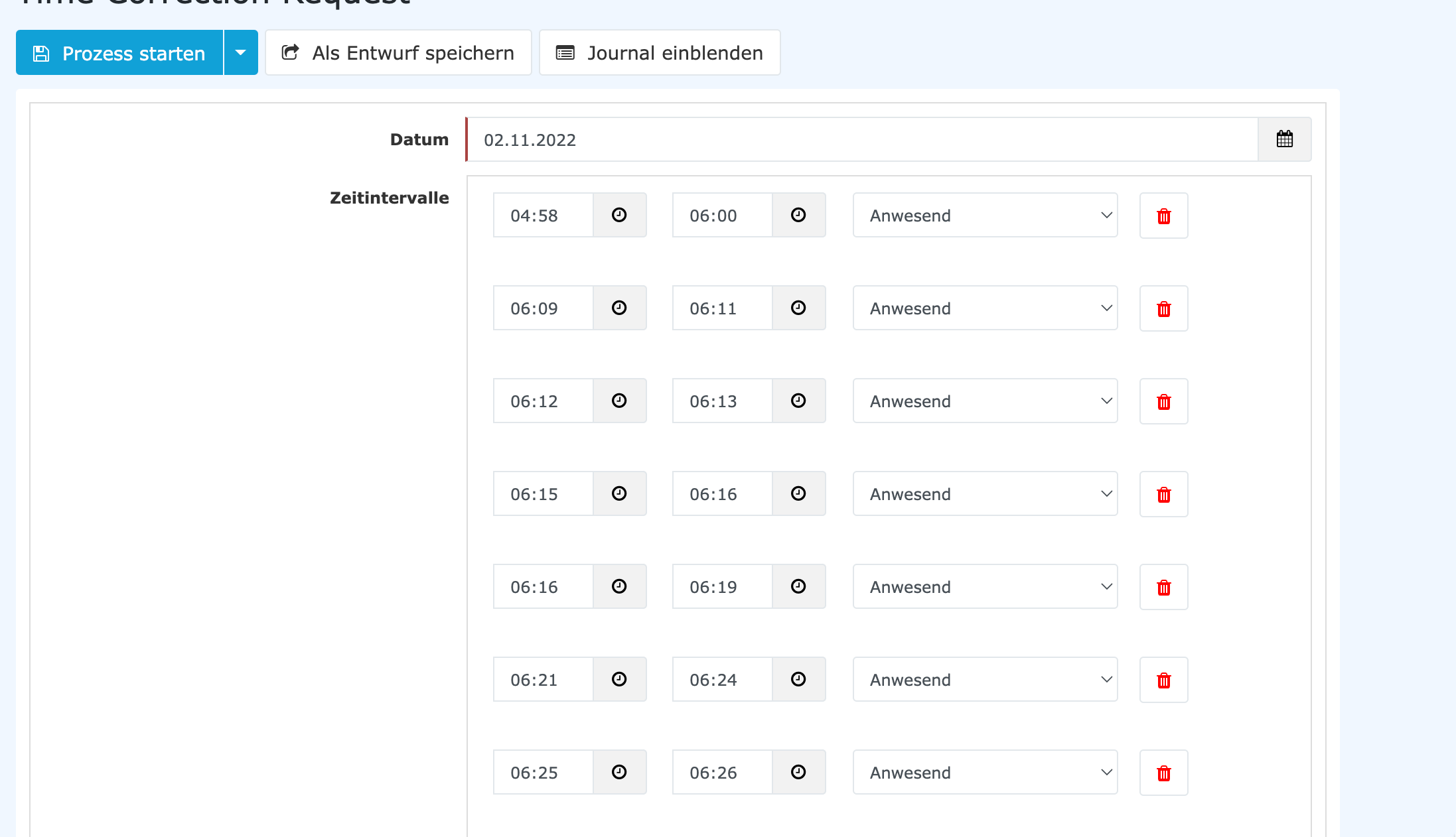
There is also a new option for the time correction that automatically loads all existing bookings of a day into the form. Please note that the time correction supports only up to 10 different intervals; it is possible to open a day with any number of intervals, but the process can only be submitted with a maximum of 10 intervals.
2 New Columns in the Monthly Journal
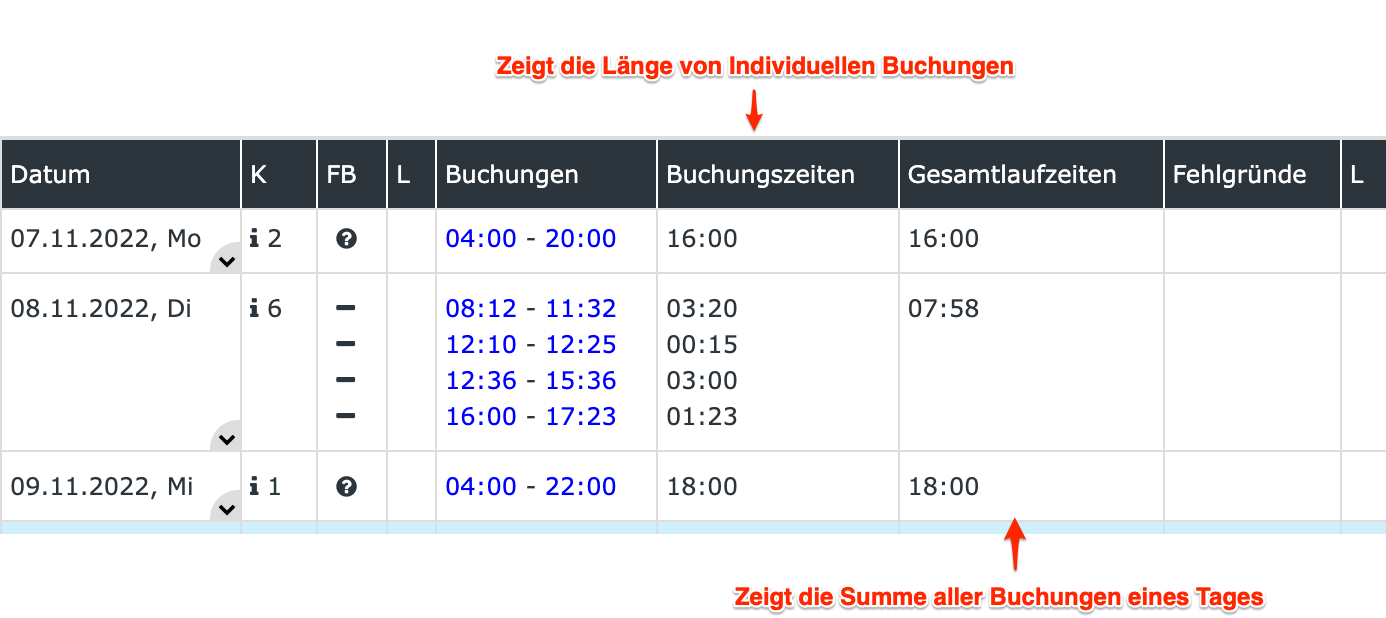
The journal now has two new columns that provide the following functions:
- The times of all bookings are added up and shown; only the booking time is shown (no calculation based on target/actual/breaks/etc.).
- The duration of individual bookings is shown.
New Filters for Open Tasks
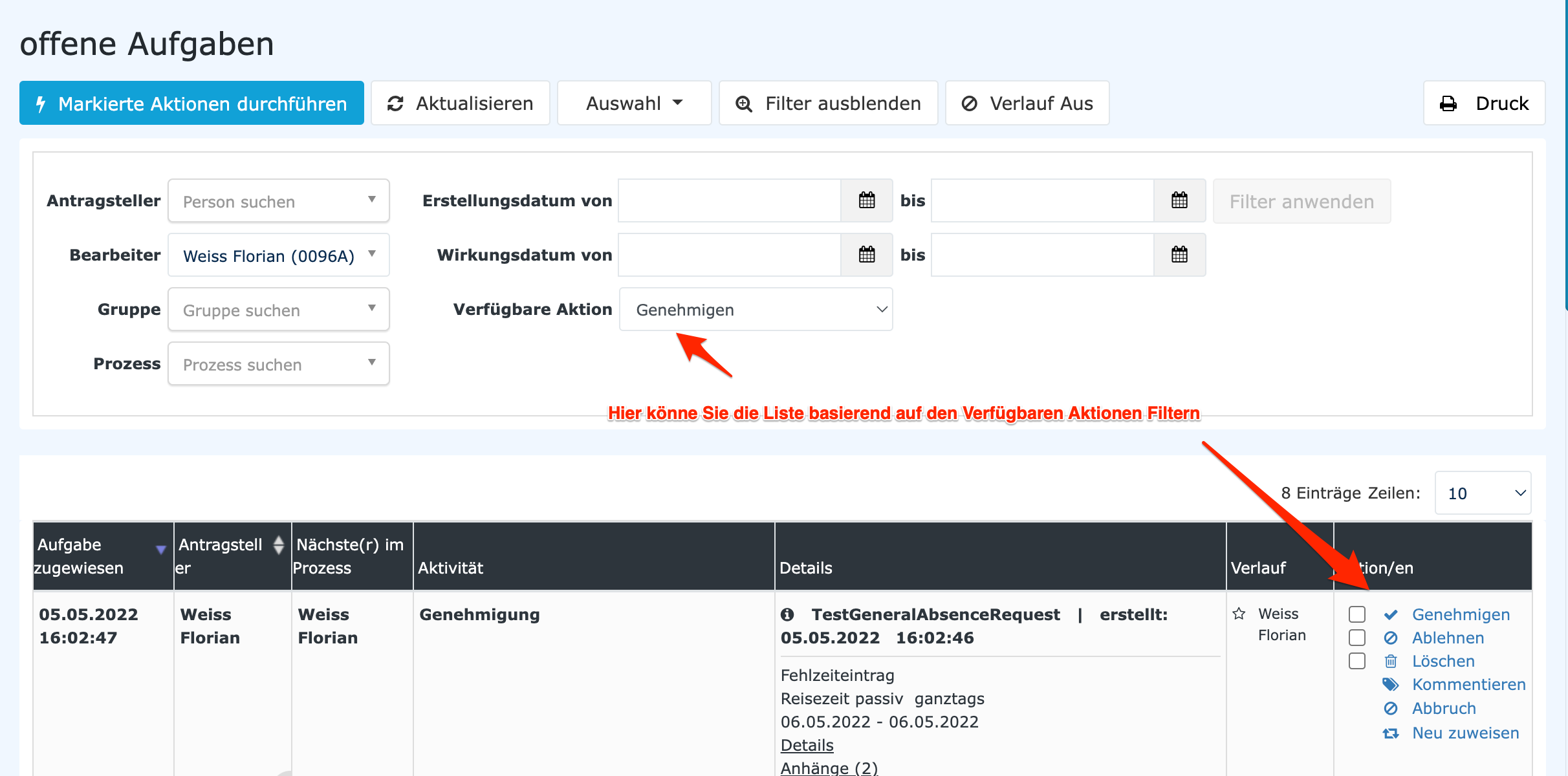
The list of open tasks can now be filtered based on the available actions (actions that you need to perform).
Monthly View for Editing Project Times
Project times can now also be edited in a new monthly view.
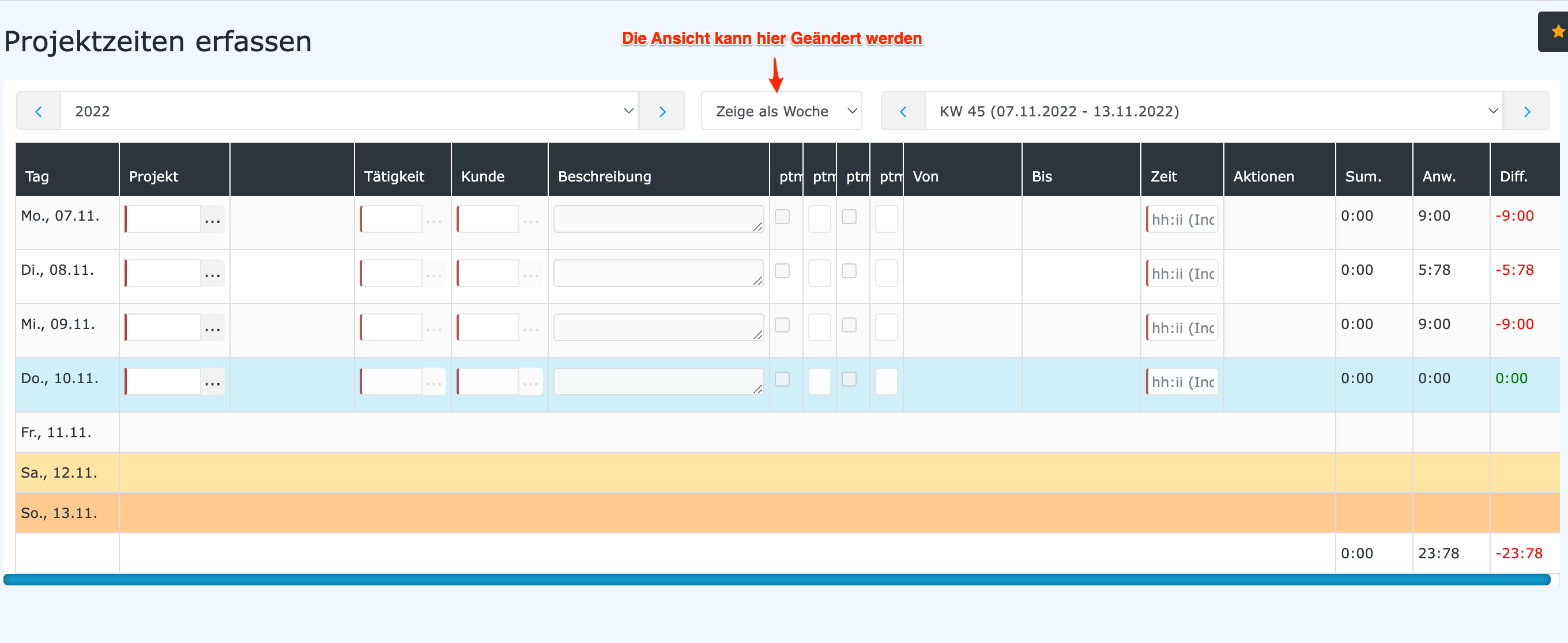
In this view, it is possible to see and edit entire months at once
Display of Specific Intervals in the Group Calendar
The group calendar can now be configured so that only specific time intervals are displayed, e.g. the past and future two weeks
Graying Out Non-Productive Days in the Group Calendar
In the group calendar, days that have a full-day non-productive absence reason can now be grayed out