Network Configuration of SQL Server
General
This article describes the steps required to prepare the previously installed SQL Server 2016 Express for external access via TCP/IP over port 1433.
Steps in Detail
Open the SQL Server Configuration Manager by launching mmc.exe (press the Windows key, type mmc.exe, and confirm with Enter) and browsing to the path C:\Windows\SysWOW64\SQLServerManager13.msc (File, Open, find the path, select it, and confirm with Open).
The console view appears:
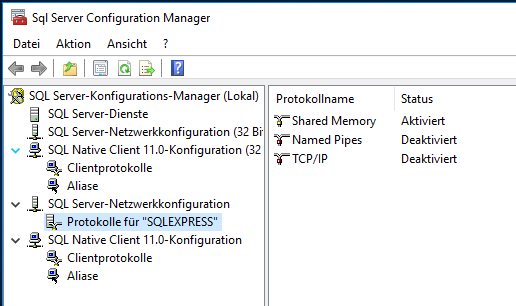
Under SQL Native Client 11.0 Configuration, in the menu item Client Protocols, right-click TCP/IP, open the properties, and check whether port 1433 is entered. 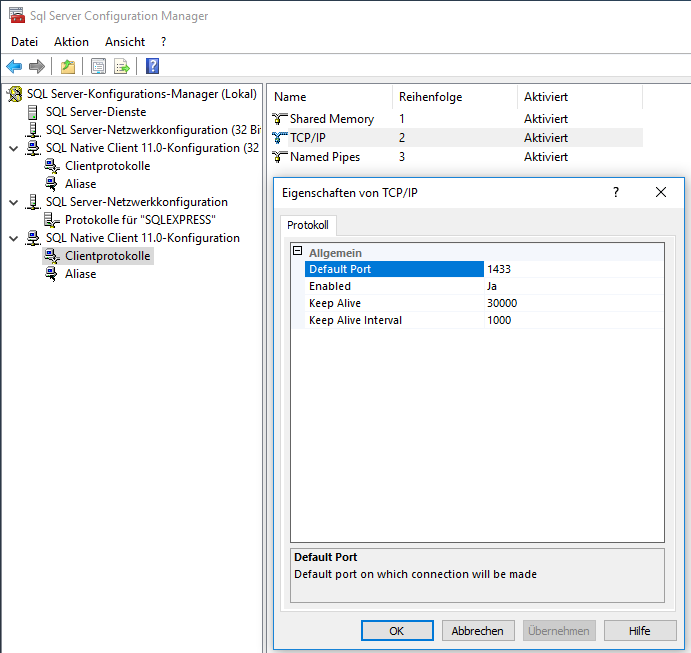
Under SQL Server Network Configuration, in the menu item Protocols for "SQLEXPRESS", right-click TCP/IP, open the properties, and on the Protocol tab change Enabled to Yes 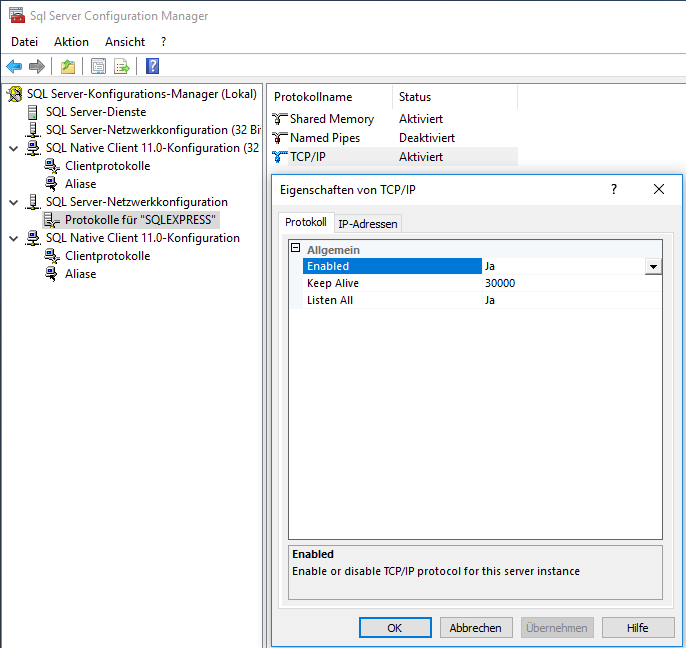
On the IP Addresses tab, at the very bottom under IPAll: delete TCP Dynamic Ports and enter TCP Port 1433
Set Enabled to Yes everywhere - Apply - OK 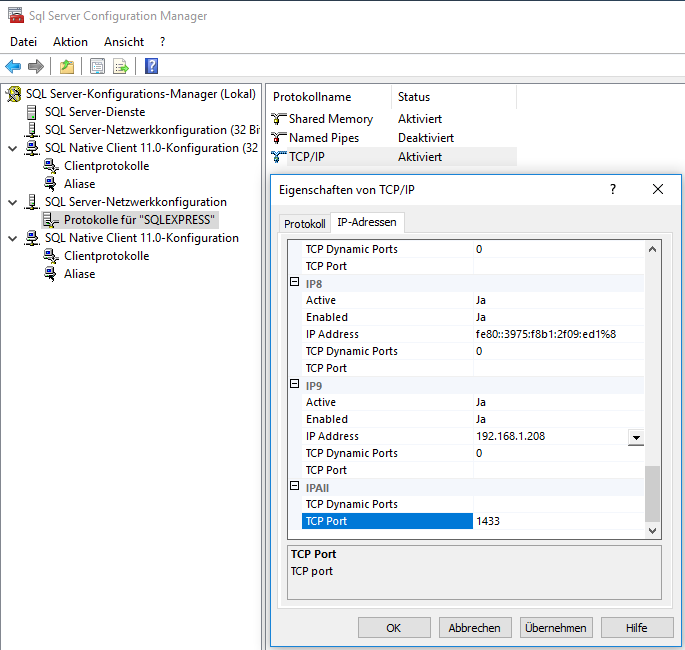
Under SQL Server Services, restart the server 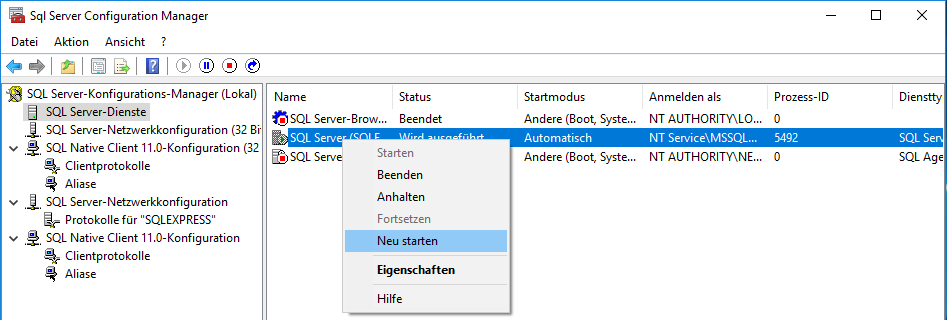
In the Windows services, open the properties of the SQL Server service and on the Log On tab select "Local System account" - Apply - OK
Restart the server service