Contact Info
This tab contains various subtabs.
Important: Observe Time Limitation and Historization so that you achieve the intended effectiveness and historization!
Phone and Email
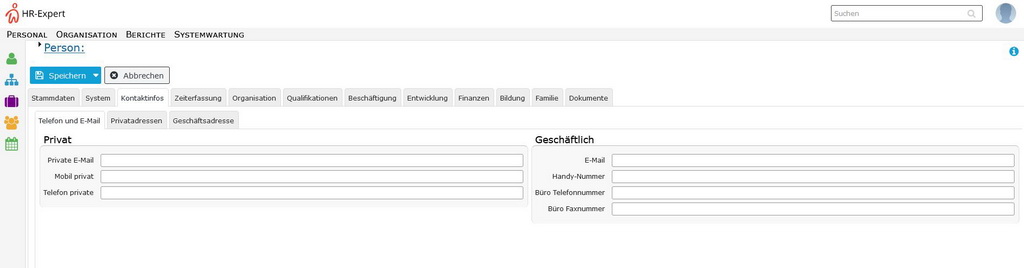
In this area, private and business telephone numbers and email addresses can be maintained.
Please note that the business email address of the employee is used by the system for all notification functions. Also a Login with the business email address (instead of the user name) into the Personalwolke is possible, if the employee is an active user.
The telephone numbers maintained here can also be displayed in other views (especially the Attendance list in time recording) if this has been configured by the administrator.
The recommended input form for this feature is +43 xxx xxxxxxxxxxx
When using a smartphone, you can click on the phone number to copy it to the phone's call function and make a phone call by pressing the dial function.
Private Addresses
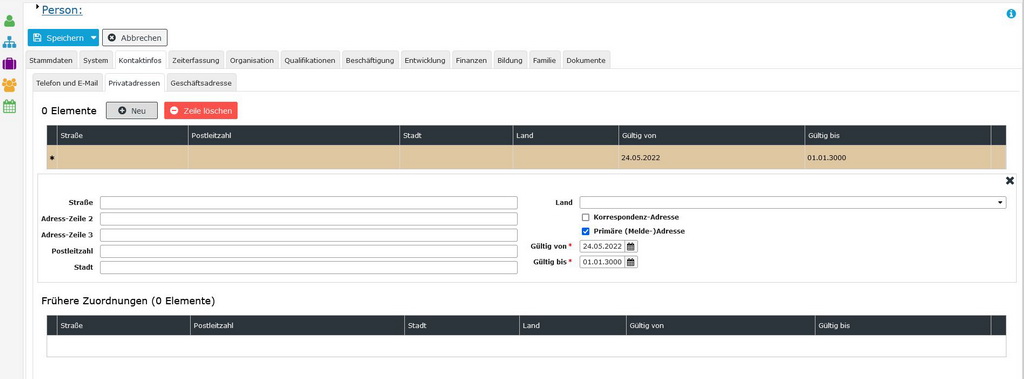
In this area, one or more private residential addresses of the employee are entered and stored in a history.
Please note that only one of the addresses can be marked as the primary (registered) address at any time!
As soon as this attribute is assigned to a new address, HR-Expert automatically corrects the "Valid to" field of the address previously marked as primary.
The address is required for social security registration and for any form of contract.
The employee's private address is also helpful for coordinating activities outside the place of work.
A correspondence address can be of interest if the employee is staying at a different address for a longer period of time but is not registered there. An example would be a stay in other accommodation while longer repairs are carried out at the registered address.
Below the entry form, the active residential addresses are displayed, followed by all entries whose validity has expired.
Use the "New" button to enter a new address. An incorrect entry can be deleted with "Delete line".
Important: Please observe Time limitation and historization so that you achieve the intended effectiveness and historization!
Business Address
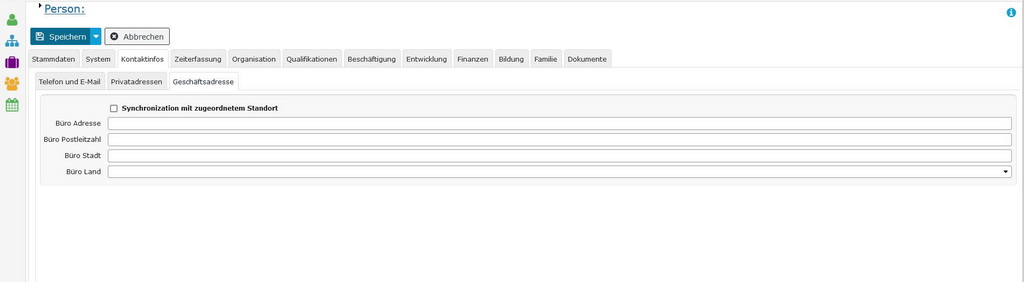
In this area, the current business address (employer's address / current work location or office address) is maintained. The address is required for social security registration.
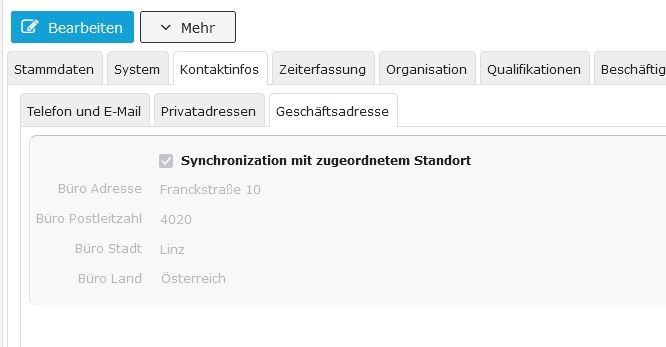
If you check the Synchronize with assigned location checkbox, HR-Expert enters the address stored for the location. The prerequisite for this is an assignment to a location in the Organization tab - Groups, if locations have been configured.
With synchronization, the address field is grayed out. The address can only be changed via Organization/Location or by removing the synchronization in this employee's contact data.
Instant Messaging Services
In this tab you can enter web services (e.g. Facebook, Skype, Google+).
In the text field "Service provider" you can specify which service it is; a text field is also provided for the user name. With a check mark, one service can be given the status primary.
In this tab, the validity period is not adjusted by the system, but can be edited manually at any time.
Expired accounts are listed below.
On this form there are the two system buttons "New" for entering a new address and "Delete line" to remove an entry from the list.
Web Profiles
This tab differs only minimally from the (Advanced) Contact Info - Instant Messaging Services tab.
In this tab you can enter web services (e.g. Facebook, Skype, Google+).
In the text field "Web address" you can specify how the profile can be found; the service provider can also be specified in a text field. With a check mark, one profile can be given the status primary .
In this tab, the validity period is not adjusted by the system, but can be edited manually at any time.
Expired accounts are listed below.
On this form there are the two system buttons "New" for entering a new address and "Delete line" to remove an entry from the list.