Statistics
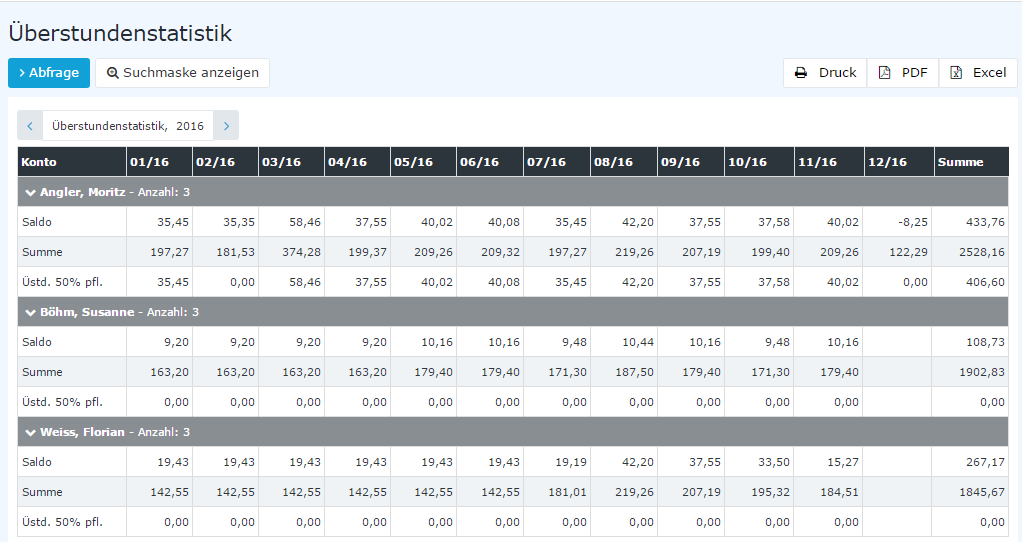
The Statistics menu item provides an overview of any time accounts, such as the development of the balance and of overtime.
With this menu item, employees in a management role have the option to monitor these accounts of their employees.
By selecting a department and clicking the Query button, the monthly statistics of the desired department or of the persons selected from the favorites list are displayed (see chapter Management).
The following fields are available in the search mask:
- Year: year for which the statistics are queried
- Account: one of the configured time accounts or All
- Observation period: Calendar year or Last 12 months; depending on the configuration, a further, specifically named observation period is available
- Direction: Forward or Backward
An average can also be displayed for the individual months (darker column). The average column is only displayed with the direction Forward.