Business Trip Reports
With the Business Trip Reports, employees with a supervisor function, their deputies, or the HR department have the option to see all registered and settled business trips of a department.
In this search mask, business trips can be selected by various criteria. Example:
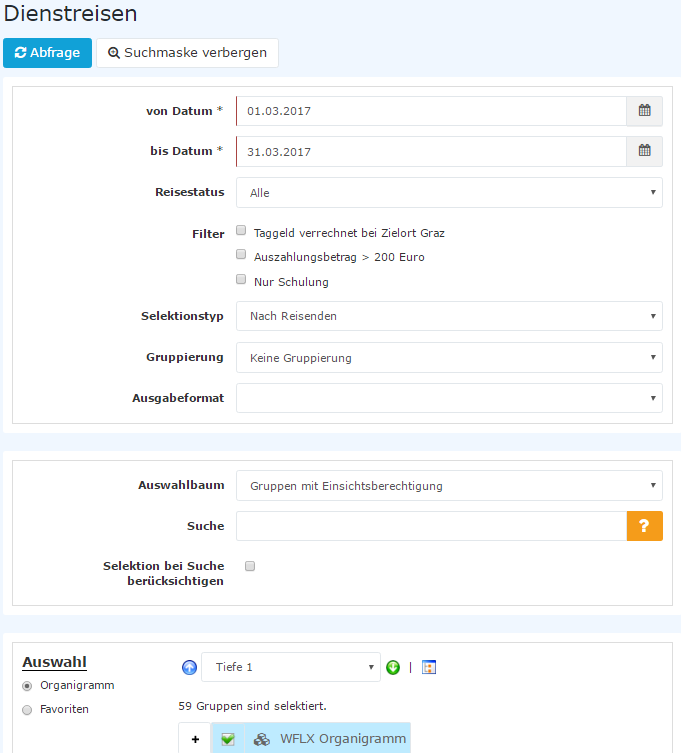
-
From - to date
Entry of the query period -
Time-based selection
Depending on the configuration, you can choose whether the query period refers to the travel period (By travel period) or to the date of transfer (By transfer date). -
Travel status
By entering the Travel status field, the display of trips can be restricted to "trips with a certain status". Several statuses can also be selected at the same time; if no status is selected, all business trips in the selected period are displayed:- Request draft: all business trip requests that have not yet been forwarded to the supervisor for approval, but only saved as a draft
- Request approval: all business trip requests that have not yet been approved by the supervisor
- Request approved: all business trip requests that have been approved by the supervisor
- Request rejected: all business trip requests that have been rejected by the supervisor
- Expense report draft: all travel expense reports that have not yet been forwarded to the supervisor for approval, but only saved as a draft
- Expense report approval: all travel expense reports that have not yet been approved by the supervisor
- Expense report approved: all travel expense reports that have been approved by the supervisor
- Expense report rejected: all travel expense reports that have been rejected by the supervisor
- Trip canceled: all trips that have been canceled
- Expense report transferred: display of all transferred travel expense reports
- Expense report posted in accounting: display of all travel expense reports that have been posted in financial accounting
-
Trip type
Examples of trip types (type of travel):- Business trip with per diems
- Business trip without per diems
- Training
- Training with per diems
- International business trip with per diems
- International business trip without per diems
- Logbook
-
Filter
The query can additionally be restricted with the help of various filters, such as filtering by training, a certain amount, travel destination, etc. The corresponding setup of the filters is done by the administrator. -
Selection type
Possible selection by travelers or by assigned cost center -
Sorting
Possible sorting by name of the traveler or by start date of the trip
Depending on the configuration, the Display field can additionally be used to choose between a display of the trips and of the individual cost objects (restricted via the Cost object types field). In this case, the attachments of the displayed trips can also be exported collectively via the ZIP icon.
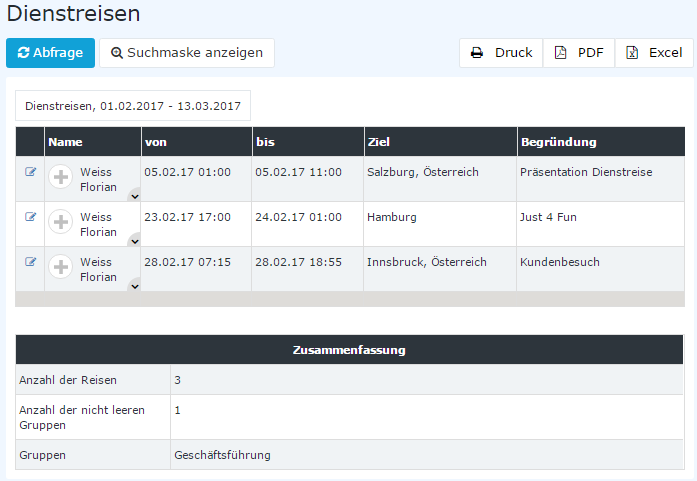
Detail view: Clicking the pencil icon takes you to the trip information.
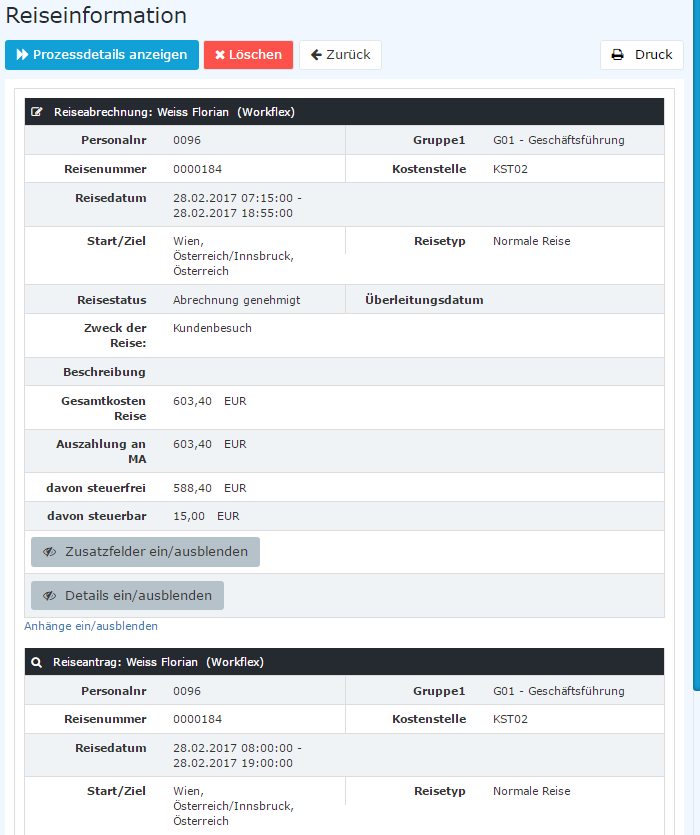
Clicking further on the gray area "Travel expense report" or "Travel request" displays the corresponding detail information.